
What is MGni.py?#
MGni.py is a lightweight python client and toolkit for interacting with EMBL-EBI’s MGnify APIs .
With mgnipy you can easily search for and download MGnify studies, samples, analyses, assemblies and more!
Why MGni.py?#
The aim of MGgni.py is to make it faster and easier to find and download MGnify datasets with their sample, analysis, study, etc. metadata
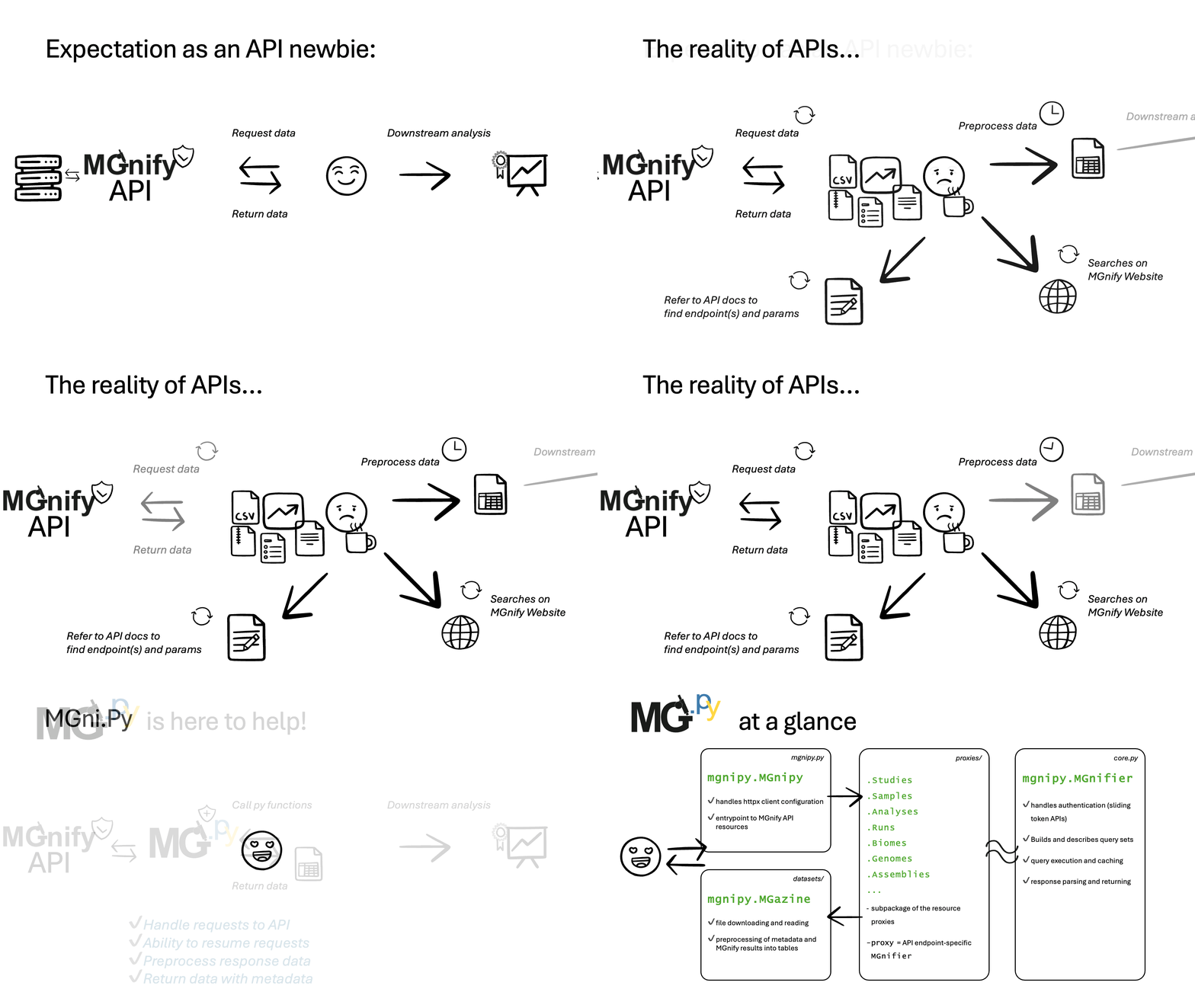
✨ Notable features:#
✅ FAIR:#
Makes it much easier to find and access MGnify analyses and their helpful metadata
Returns data in standard formats (e.g, gff, tsv, jsonl, fasta, dwc-ready) that can be used in common tools, improving interoperability
✅ Simplifies:#
Takes care of building and executing API queries,
also handles authentication for accessing your private ENA and MGnify data easily
✅ Fast:#
Synchronous and Asynchronous API call support
Caching of API responses to speed up repeated queries during exploration.
Datasets and metadata can be returned as
polarsLazyFrame/DataFrame
✅ Flexible:#
All kinds of data (e.g., .gff, .fasta, .tsv, .html) can be downloaded right from MGnify,
or read into pandas, polars or anndata DataFrames
✅ Explains the API:#
In MGni.Py there are helper methods (e.g.,
list_resources()anddescribe_resource(...)) to make it easier to inspect the API endpoints and their supported parametersAdditionally query-previewing helpers such as
.explain()which show you the built query urls based on the given endpoint and parameters for learning
At a glance: A typical mgnipy workflow…#
1. Start up a mgnipy.MGnipy client with your desired configuration#
from mgnipy import MGnipy

# Create a client (uses sensible defaults)
MG = MGnipy()
2. Search in MGnify resources using a MGnifier glass#
# can access mgnifier as MGnipy attribute
studies_resource = MG.studies

# and refine search (lazily builds queries)
filtered_studies = studies_resource.filter(
    search="diabetes",
    biome_lineage="root:Host-associated:Human:Digestive system"
)

# get the studies' metadata (executes queries)
with MG: # client context manager
    filtered_studies.get_all() # populates list of studies
    filtered_studies.enrich_details() # gets all studies details

# access the detailed metadata and view as pandas df
filtered_studies.metadata.to_pandas()
3. Receive a MGazine of MGnify datasets#
# access the mgazine
MZ = filtered_studies.datasets

# can download all datasets, or many more options...
MZ.download_all(to_dir="some-folder")